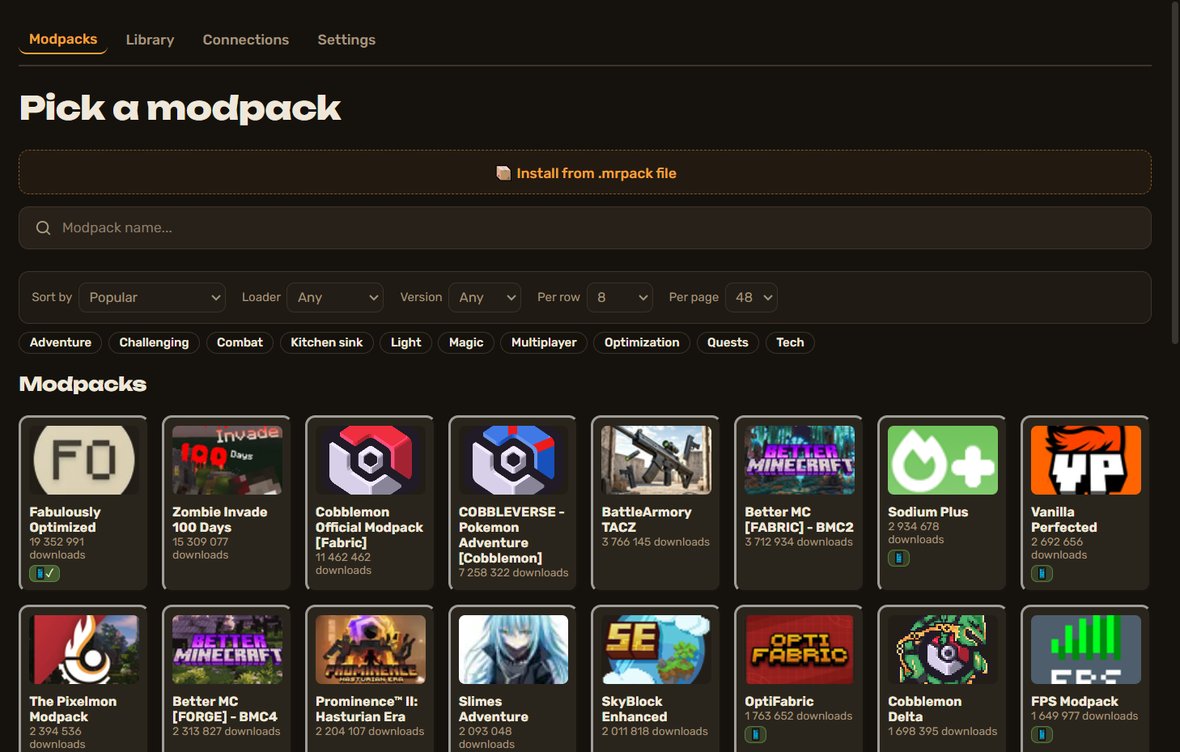
Any modpack from Modrinth — or build your own from the mods that are there. Install it from an .mrpack file or from the catalog; the app picks Java and the loader for you. How to build your own pack inside the app — we will tell you later.
From the catalog
Pick a pack in the catalog and press “Install”. The app chooses Java and the loader for you.
From an .mrpack file
Downloaded a pack from Modrinth — choose the file and the app prepares it for play.
Your own pack
You can build one from the mods that are on Modrinth. How to do it inside the app — we will tell you later.
Pack cards
The card colour is the overall load rating of the pack on a computer.
While the load is not measured, the card stays grey. We do not make numbers up.
Next to the rating there will be an “On your PC” line: whether your computer can run this exact pack.
What the colours mean
These are style examples, not real packs. The colour depends on the pack itself, not on your computer.
Not measuredA grey dashed frame: there is no measurement yet, so we show no rating.
Very lightRuns on almost any computer.
LightAn ordinary home PC handles it easily.
MediumYou need a decent gaming computer.
HeavyYou need a powerful computer. Playing together needs headroom.
Very heavyFor the most powerful PCs. Playing together may not fit.
Made your own measurement? Send it
Mod and pack authors, and regular players, can send a load measurement: that way the card turns coloured sooner. We check it and add it with a note on whose it is.
What a measurement needs
Pack name and version, Minecraft version and loader.
At least ten minutes of normal play in one world.
CPU load, memory used and video memory (peak and average).
CPU and graphics card model, number of cores, total computer memory.
Whether you played together and how (from a tablet or not).
Do not want to figure it out — ask an AI
Copy the text and paste it into any chat assistant (ChatGPT, Gemini, Claude and others). Pick the variant that fits.
How to measure
I want to measure the load a Minecraft Java modpack puts on my computer. Write step-by-step instructions for Windows: how to record CPU, RAM and video memory usage over ten minutes of play using built-in tools (Task Manager, Performance Monitor or a free utility). Explain which values to write down (peak and average) and how to find the number of CPU cores. Keep it simple, for a non-technical person.
Format my numbers
Here are my load measurements for a Minecraft pack: [paste numbers: CPU, memory, video memory — peak and average, play time]. My computer: [CPU, graphics card, cores, memory]. Pack: [name and version], Minecraft [version], loader [Fabric/NeoForge/Forge]. Turn this into a short report for the developers: a table of values, test conditions, a one-line conclusion. Do not invent data I did not give; list anything missing as questions.
Check my measurement
Check my Minecraft pack load measurement for reliability. Data: [paste]. Tell me: is the play time long enough, are there outliers (for example measured on the title screen or while paused), are peaks mixed up with averages, do the numbers fit my hardware. If the measurement is weak, explain what to redo. Do not praise — look for weak spots.
BlockFlow is an independent service, not affiliated with Mojang or Microsoft. We do not sell Minecraft or distribute the game. Every player needs their own Minecraft Java licence — you already have one or buy it from Mojang. The only thing we may charge for is cloud time: tokens that turn into hours on a remote computer. The app, mod installation, friends and lobbies are free. Worlds are stored in your own Google Drive.